Kiosk
A wall-mounted dashboard for the day ahead, kept up to date from my phone.
What it is
A screen on the wall at home, run from a Raspberry Pi, that shows the day at a glance: the date and time, the weather, my tasks, longer-term goals, upcoming birthdays, and whether the machines in my homelab are up. A companion app on my phone is where I add and tick things off, and the wall updates the moment I do.
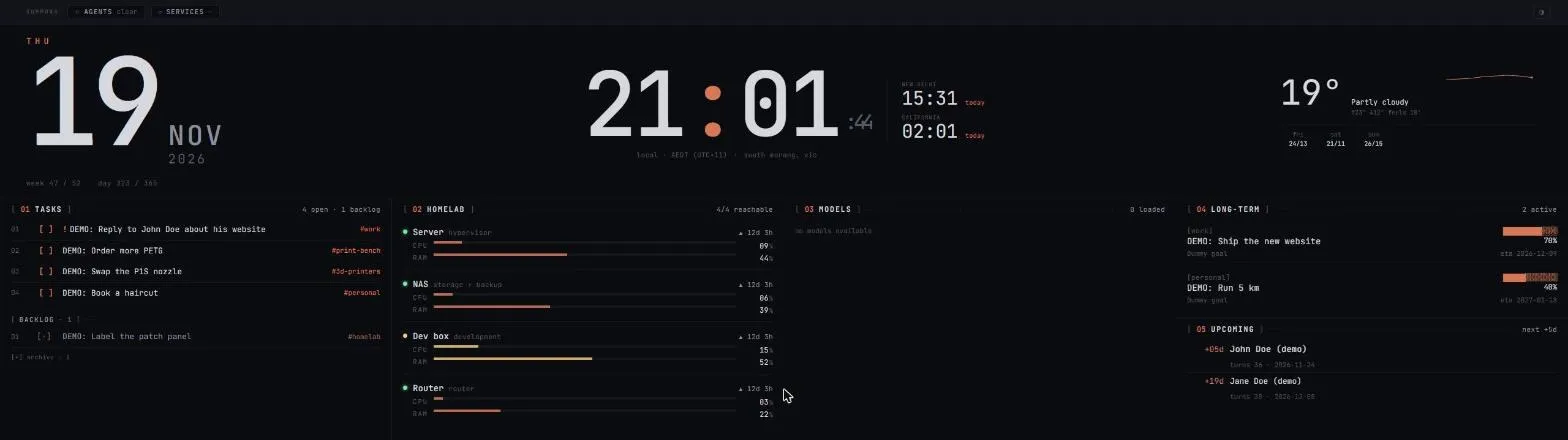
Demo data: every task, goal, birthday and machine name above is made up for this screenshot. The real dashboard holds my own life, so it isn’t public.
How it’s put together
The Pi only shows a browser. The app and its database run on a server, and the Pi just opens the page full screen. If the Pi dies, nothing is lost.
Live, not refreshed. The server pushes changes to the screen as they happen, so a task ticked on my phone disappears from the wall straight away.
One line to add anything. A quick-add box takes plain text like “buy milk tomorrow 5pm #errand !high” and works out the list, the time and the priority.
The homelab panel. Each machine reports its CPU, memory and uptime, so I can see at a glance that the NAS and servers are fine without logging into anything.
The day it went quiet
On 14 November the database restarted and the dashboard’s server lost its connection. The process stayed “running” as far as the process manager could tell, but it had stopped answering, so the wall quietly showed nothing new for five days. It’s back now. The fix it really needs is for the server to reconnect by itself, and for a health check to notice when it hasn’t. That’s the same lesson as my server write-up: a process can look alive and still be dead.